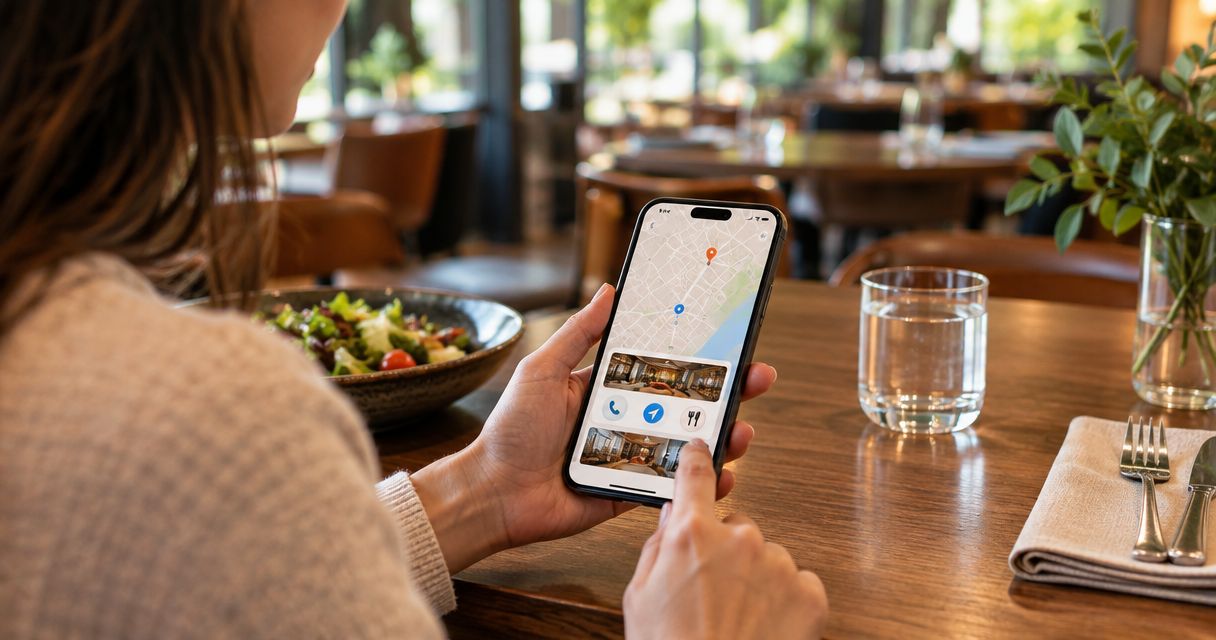
Instead of switching between map results and reservation searches, use Apple Maps to find Siena, open the restaurant website, and follow its reservation link. To reserve a table at Siena through Apple Maps in 2026, treat Maps as the starting point—not as proof that a dinner booking is complete.
- To reserve a table at Siena through Apple Maps, find the Alpharetta listing and continue through the restaurant website.
- Siena suits diners planning Mediterranean and Italian date-night dinners or celebrations in Downtown Alpharetta.
- A map listing, directions screen, or selected time is not a reservation confirmation.
- Use the restaurant website’s reservation link rather than assuming an in-app booking connection exists.
WHY THIS MATTERS
Finding a restaurant and reserving a table are different steps. Apple Maps helps you identify the destination; the reservation process establishes the date, time, and guest count for dinner.
For a Mediterranean and Italian date night at Siena, keep the restaurant website as your reference point. Follow the reservation link there, then retain the confirmation before sharing a settled dinner plan with your guest.
This 2026 guide follows that website-first route. It does not assume that the restaurant’s Apple Maps listing includes a working direct-booking integration or that every device displays identical controls.
BEFORE YOU START
- Have Apple Maps and a browser ready. You need an internet connection to move from the restaurant listing to the website and complete any booking steps. Follow any sign-in instructions presented by the reservation service you reach.
- Decide your dinner details. Have your intended date, guest count, preferred time, and contact information ready. For a celebration, separate essential requirements from preferences before you begin.
- Expect a handoff. A restaurant listing can lead to a website rather than an in-app reservation form. Opening that website, choosing a time, or requesting directions does not by itself confirm a table.
Keep your contact details accessible without leaving the booking halfway through. If you are arranging dinner for someone else, decide whose details will receive the confirmation and who will manage any later changes.
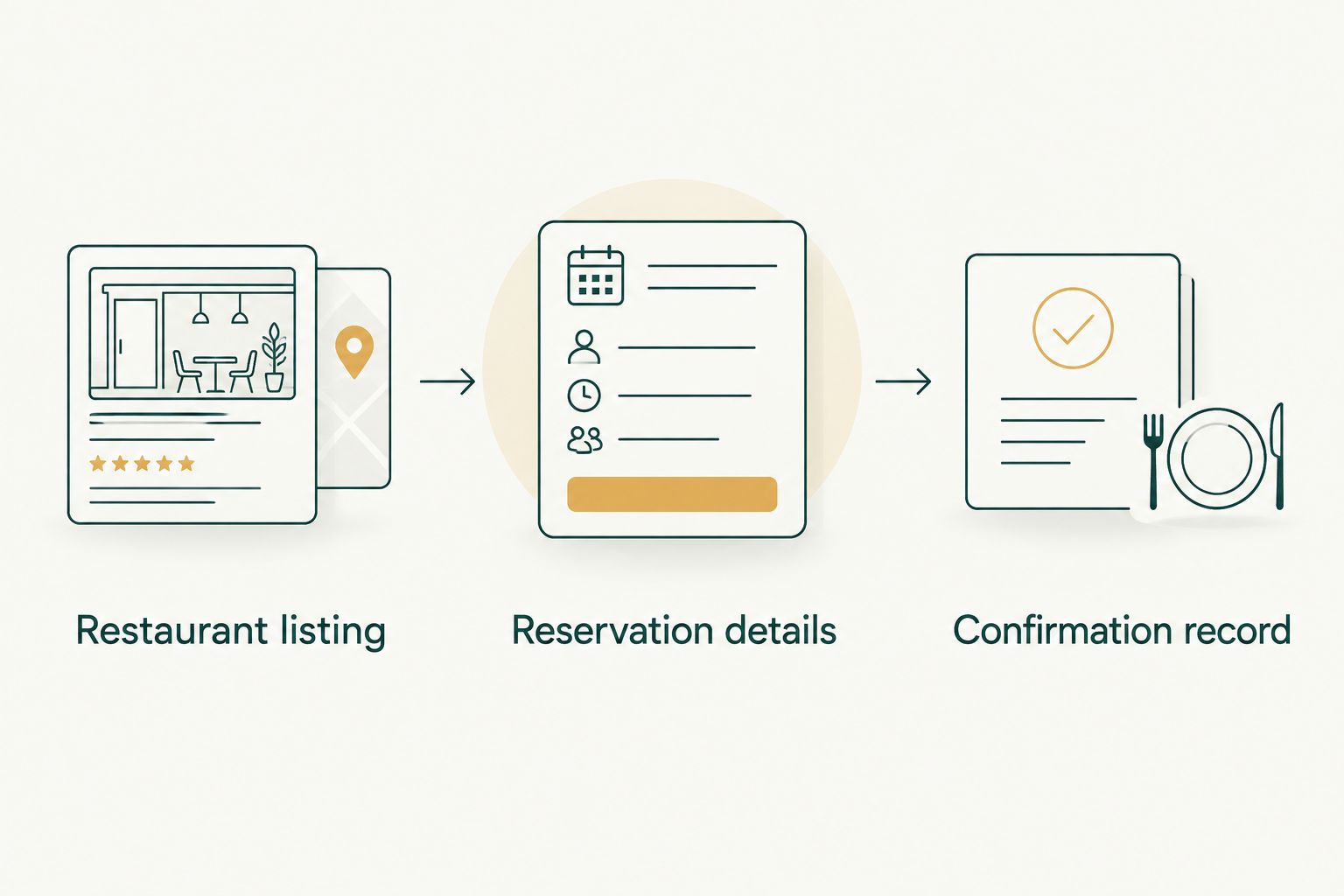
RESTAURANT LISTING
Find the correct destination
- Open Apple Maps on your device.
- Search for Siena in Alpharetta, Georgia. Include the city rather than relying on the restaurant name alone.
- Open the matching restaurant place card and check the name and city.
- Look for the website control. If the card displays Website, select it.
- Check that the destination is the restaurant’s website at sienaatl.com before continuing.
Expected result: You have reached the restaurant website from the correct Alpharetta listing. You have not yet made a reservation.
Do not select a result only because its name looks familiar. The city and website destination are useful checks before you enter personal information or begin planning the evening around a particular table time.
If the listing does not provide a usable website control, open the restaurant website directly in your browser. That keeps the same booking approach without depending on the map card’s layout.
Keep discovery separate from booking
The map card is useful for locating the restaurant. It is not the place to infer dining policies, celebration arrangements, or reservation requirements from photographs and brief descriptions.
For your 2026 dinner plans, follow the current restaurant website rather than a saved screenshot of a listing. Read the information presented during the booking process before submitting your details.
RESERVATION DETAILS
Follow the website reservation link
- Find the reservation link on the restaurant website.
- Open that link and check the restaurant identity on the destination page.
- Follow the booking page’s instructions for selecting your date, guest count, and time.
- Review any terms shown before you submit the reservation.
- Enter your contact details carefully, checking the email address and telephone number before proceeding.
Expected result: You have reached the reservation process associated with the restaurant website and entered the details for your intended dinner.
Button names and field order depend on the booking interface you reach. Follow its displayed wording rather than looking for an assumed Apple Maps reservation button or a particular third-party service.
Use the website’s reservation link as the connection between discovery and booking. A familiar-looking booking page is not enough; check the restaurant identity and the details of your meal before continuing.
Review the details that shape the evening
Before the final submission, check 3 essentials:
- Date: Confirm the intended calendar date, not just the day of the week.
- Time: Check the selected dinner time and its morning or evening designation where shown.
- Guest count: Include everyone who needs a place at the table.
Read any additional requirements on the booking page. Do not infer a policy from a previous visit, an old confirmation, or another restaurant’s reservation process.
For a date night, agree on the intended time before submitting. For a celebration, appoint one person to complete the reservation so that several guests do not independently book for the same gathering.
Treat requests as requests
If the booking form includes a notes field, use it for a concise, relevant request. State the occasion or essential concern clearly, without assuming that entering a note secures a particular arrangement.
A reservation note is not a substitute for a direct answer about an important requirement. Use the restaurant’s contact page when the evening depends on something that the booking form does not resolve.
For example, distinguish a preference about the evening from a requirement that determines whether the dinner can proceed. Ask for confirmation of the requirement before making related commitments to your guests.
CONFIRMATION RECORD
Finish and verify the reservation
- Review the restaurant, date, time, guest count, and contact details once more.
- Complete the final submission requested by the booking page.
- Look for an explicit confirmation rather than stopping at a selected time or completed form.
- Save the confirmation page or message in a place you can retrieve later.
- Share the confirmed dinner details with your guest or group.
Expected result: You have a confirmation record that matches the dinner you intended to book.
A reservation is complete when you receive confirmation, not when you open the restaurant’s map listing. If the page leaves you uncertain, resolve that uncertainty before starting a second booking attempt.
Check 2 places when a confirmation is not immediately visible: the final booking screen and the inbox associated with the contact details you entered. Include the spam or junk folder when checking email.
Do not assume that a bank notification, a browser history entry, or an open map card establishes the reservation. Keep the actual booking confirmation as the reference for your plans.
For a dinner arranged in 2026, preserve the confirmation alongside any later change messages. When details change, refer to the latest confirmed version rather than the original plan in a group conversation.
WHICH STARTING POINT SHOULD YOU USE?
Apple Maps and the restaurant website serve different purposes in this workflow. Choose the entry point that matches what you need to do, then finish through the reservation process.
| Starting point | Best for | Advantage | Limitation |
|---|---|---|---|
| Apple Maps | Finding the restaurant before booking | Connects place discovery with the next website step | A place card is not a confirmed table |
| Restaurant website | Beginning with the restaurant’s reservation link | Keeps the booking route tied to the restaurant website | You still need to complete the linked process and verify confirmation |
Use Apple Maps for discovery and the restaurant website for the booking handoff. Neither opening a place card nor opening a website completes the reservation on its own.
Once your booking is confirmed, return to Maps when you need directions. Keep travel planning separate from reservation management so that a route screen never becomes your only record of dinner.
Plan your dinner
Visit the restaurant website and follow its reservation link for your date-night or celebration plans.
WHEN YOUR DINNER DETAILS CHANGE
An adjacent workflow starts with your existing confirmation, not another restaurant search. If your date, time, or guest count changes, check the original reservation before attempting a replacement.
- Open your saved confirmation.
- Look for reservation-management instructions or a management link, if provided.
- Follow the instructions for the change you need to request.
- If the confirmation offers no suitable route, contact the restaurant through its website.
- Retain the updated confirmation and check that it reflects the agreed details.
Expected result: You have either an updated confirmation or a clear outstanding request—not an assumed change.
Do not create a second reservation simply because you cannot immediately edit the first. First establish how the original booking should be handled, especially when another person in your party is also helping with arrangements.
For a celebration, send guests the updated details only after the change is confirmed. A proposed new time in a group message does not alter the reservation.
TROUBLESHOOTING
The map card has no booking control
Use the website route. A missing direct-booking control does not establish whether you can reserve through the restaurant’s own website.
Open the website, follow its reservation link, and continue from there. Do not keep searching the map card for a button that your version does not display.
The listing opens an unexpected destination
Stop before entering personal information. Recheck the restaurant name and city, then open the restaurant website directly if the destination does not match.
The useful check is the destination itself, not whether a page resembles a reservation form. Continue only after you establish that you are following the intended restaurant’s booking route.
The booking page does not load properly
Open the restaurant website in your browser and try the reservation link from there. If the problem continues, use the website’s contact route rather than repeatedly submitting an incomplete form.
Keep track of whether you reached a final submission. A loading problem after submission calls for a confirmation check before another attempt.
You submitted but cannot find confirmation
Check the final screen, your email folders, and the accuracy of the contact details you entered. If uncertainty remains, ask the restaurant to verify the booking before submitting again.
Describe the intended date, time, guest count, and name used. Do not send sensitive payment information in a general inquiry.
Your celebration needs more than a table request
Ask the restaurant directly about arrangements that the reservation form does not address. Do not treat a notes field as an approved event plan.
A standard dinner reservation and a private-dining inquiry are different requests. Establish which process fits your occasion before inviting guests on the assumption that every detail is settled.
MAKE THE WORKFLOW YOUR OWN
For a simple date night, keep one confirmation and one person responsible for changes. The aim is a clear plan, not a collection of screenshots from different stages of booking.
For a celebration, separate table details from occasion details. First confirm the reservation; then resolve any additional arrangements directly rather than assuming they are included.
Your 2026 booking record should answer 4 questions: where you are dining, when you are expected, how many guests are included, and how to request a change. Keep those answers together before turning your attention to the evening itself.
FAQ
How do I reserve a table at Siena through Apple Maps?
Find the Alpharetta restaurant listing in Apple Maps, open the restaurant website, and follow its reservation link. Complete the booking process and retain the confirmation.
Can I complete my entire reservation inside Apple Maps?
Do not assume the entire reservation can be completed inside Apple Maps. Use the restaurant website’s reservation link rather than relying on an unverified direct-booking connection.
What should I do if Apple Maps has no reservation button?
Open the restaurant website and follow its reservation link. A missing map control does not establish whether website reservations can be made.
Do directions in Apple Maps confirm my dinner reservation?
No. Directions help you travel to the restaurant; a separate reservation confirmation establishes your booking.
How do I know my dinner reservation is confirmed?
Look for an explicit confirmation from the booking process. Check that the restaurant, date, time, and guest count match your plans, then save the record.
Can I add an anniversary request while booking?
Use a notes field if the booking form provides one, but do not treat the note as an approved arrangement. Ask the restaurant directly about anything essential to your celebration.
How do I change a reservation after starting in Apple Maps?
Start with your reservation confirmation and follow any management instructions it contains. If it does not provide a suitable route, contact the restaurant through its website.
ONE LAST THING
Siena suits diners planning Mediterranean and Italian date-night dinners or celebrations in Downtown Alpharetta. Keep the planning just as intentional: confirm the table before arranging the rest of the evening around it.
The most useful thing to save is not the search result. It is the confirmation that tells you exactly what you booked.