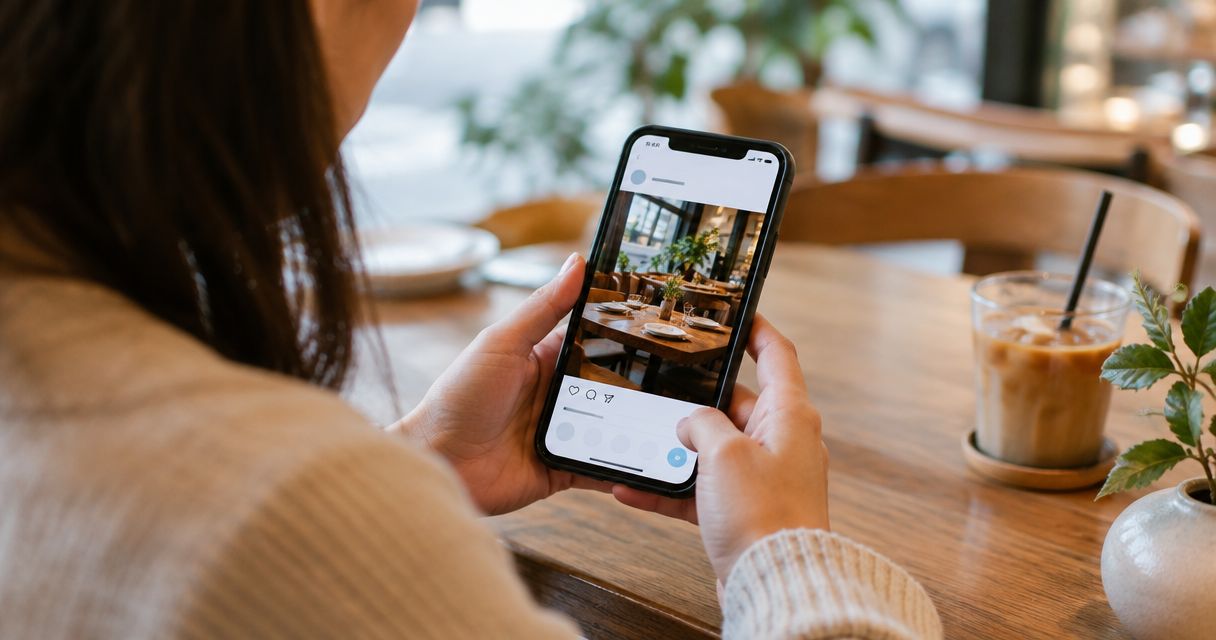
To book a table at Siena through Instagram in 2026, use the profile’s website link if it leads to the restaurant’s official site, then follow the reservation route shown there. Instead of treating a message or comment as a booking, complete the reservation process and keep the confirmation; if the profile offers no clear website link, start at Siena directly.
- To book a table at Siena through Instagram, use the official website route and keep your reservation confirmation.
- Siena’s Mediterranean and Italian dining is best for date nights and celebrations in Alpharetta.
- Check the restaurant identity before entering booking details; a matching name alone is not enough.
- Treat occasion notes as requests, not confirmed arrangements.
WHY THIS MATTERS
A dinner plan should end with a reservation, not an unanswered question in your inbox. Instagram can be the starting point, but a comment, reaction, or sent message is not proof that a table has been reserved.
Siena’s Mediterranean and Italian dining is best for date nights and celebrations in Alpharetta. Keep the planning practical so the evening can feel personal: confirm the restaurant, enter the right details, and save the final booking record.
For a 2026 visit, use the current website instructions rather than a reservation reference in an older post. A post records what was published; the live booking route is where you should check what to do now.
BEFORE YOU START
- Have your dinner details ready. Decide on 3 booking details: your intended date, preferred time, and total guest count. Agree on those details before you begin entering information.
- Keep your contact information accessible. Have the email address and phone number you intend to use, plus access to any account requested by the reservation service. Do not create an account simply because an unrelated message asks you to.
- Know the handoff gotcha. Instagram can open links inside its own browser. If the reservation page does not work there, open the official website in your usual browser rather than repeatedly submitting the same request.
For a 2026 celebration, separate the table booking from any special arrangements. A reservation and an occasion request are different things; complete the booking, then confirm anything essential through the restaurant’s current contact route.
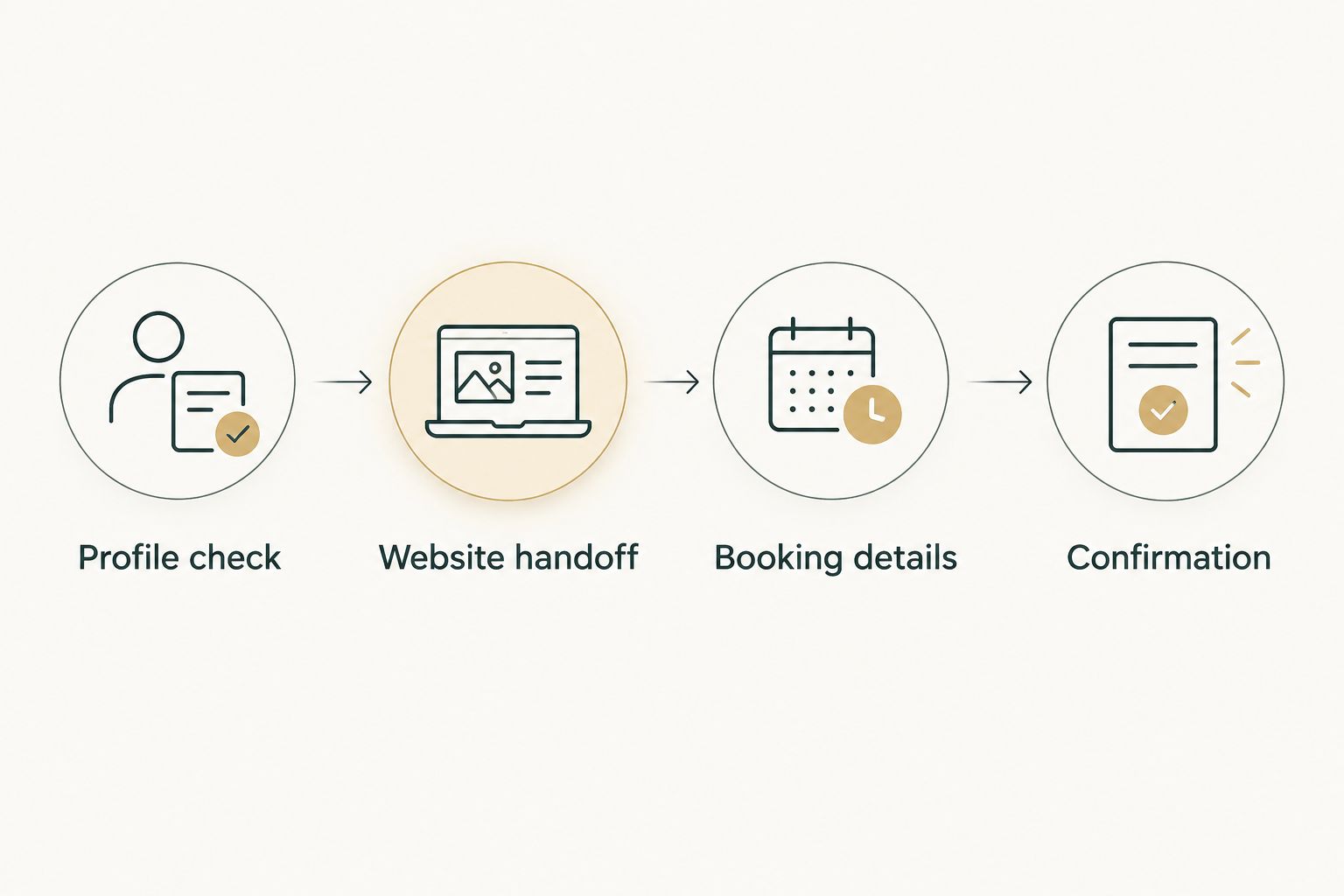
PROFILE CHECK
Confirm the destination before you book
- Open the Instagram profile you intend to use. Check that its restaurant identity and location refer to the Mediterranean and Italian restaurant in Alpharetta, Georgia.
- Inspect the website destination before entering personal information. The official website domain is sienaatl.com; use that as your reference rather than relying on a similar account name or profile photograph.
- Follow the profile’s website link only when the destination is clear. If the link leads to a page with several destinations, choose the restaurant’s official website rather than an unrelated promotion.
- If the profile gives you no clear route, leave Instagram and open the official website directly. You do not need to complete the process inside the social app.
Expected result: You reach the intended restaurant’s website without sending booking details to an uncertain account.
Do not use the presence of a reservation-related word in a caption as proof of a working booking connection. Follow the current link and inspect the page it opens. The destination matters more than the wording around it.
WEBSITE HANDOFF
Follow the current reservation route
- Look for the website’s current reservation link or instructions. Follow the wording displayed on the live page; do not search for a particular button name based on an old screenshot.
- Open the reservation destination provided by the website. If it transfers you to another service, check that the restaurant identity still matches before continuing.
- If the page stalls inside Instagram, open the official website in your regular browser. Restart from the website rather than copying a shortened or unfamiliar destination from a message.
- Read the instructions presented before entering your details. Complete any required sign-in only on the destination reached through the official website.
Expected result: You arrive at the current reservation process for the correct restaurant, with a page you can use and review.
The website handoff is deliberate. It keeps your booking tied to the restaurant’s own instructions instead of an assumed Instagram feature. Do not assume a particular reservation provider is connected just because its name appears in a search result or older guide.
BOOKING DETAILS
Enter the dinner you actually intend to attend
- Enter your intended date, preferred time, and complete guest count wherever the booking process requests them. Read the full date before proceeding, especially when planning across months.
- Check the restaurant name and location again before supplying your contact information. This is the last useful identity check before submission.
- Enter the requested contact details carefully. Review the spelling of your email address and the digits of your phone number rather than relying on autofill without checking it.
- Add an occasion note only if the booking process provides an appropriate place. Keep the request short and specific; do not include sensitive personal information.
- Read the displayed booking terms before taking the final action. Follow the live instructions rather than assuming that a previous visit used the same process.
Expected result: The booking summary matches your intended evening, and the contact details belong to the person managing the reservation.
For a date night, agree on the arrival time before submitting. For a celebration, make sure one person owns the booking and communicates changes. That avoids separate guests creating overlapping reservations for the same dinner.
CONFIRMATION
Save the record before closing the page
- Complete the final action requested by the booking process. Selecting a date or entering contact information is not the same as finishing a reservation.
- Look for an explicit confirmation. Keep 1 confirmation record that identifies the restaurant, date, time, and guest count.
- Save the confirmation in a place you can find outside Instagram. Use the confirmation message or a screenshot of the completed booking record, rather than a screenshot of an unfinished form.
- Review the details once more, then share the agreed arrival information with your guest or group. Keep any booking-management link private.
Expected result: You have a completed reservation record, not just a submitted form or a social conversation.
A confirmation should settle the basic plan. If the record shows the wrong date, time, or guest count, address that through its management instructions or the restaurant’s current contact route before treating the evening as arranged.
CHOOSE YOUR STARTING POINT
Both routes below lead you back to the restaurant’s current instructions. The difference is where you begin, not a promise of different reservation terms.
| Starting point | Best for | Advantage | Limitation |
|---|---|---|---|
| Instagram profile to official website | Diners already browsing the restaurant’s posts | Keeps discovery and planning in one sequence | Requires checking the destination; the in-app browser can interrupt the handoff |
| Official website directly | Diners ready to make dinner plans | Removes the profile-identification step | You still need to complete the booking process and save confirmation |
Use Instagram for discovery and the official website for the reservation handoff. Neither route makes a comment or direct message equivalent to a completed booking.
If the social route becomes confusing, switch to the website. There is no reason to keep troubleshooting the profile when your goal is simply to arrange dinner.
WHEN THE OCCASION CHANGES
Turn a date-night plan into a celebration request
A 2026 anniversary or birthday plan needs more than a note left beneath a post. Keep the reservation record and any special arrangements separate so you know exactly what has been confirmed.
- Confirm the essential dinner details with your guests before changing the booking. Settle the date, arrival time, and guest count together.
- Use the management instructions attached to the existing reservation when they provide the change you need. Do not create a replacement booking without also resolving the original.
- For arrangements beyond the table reservation, use the restaurant’s contact page and follow its current instructions.
- Describe the occasion and the specific question you need answered. Ask about the arrangement rather than presenting it as already agreed.
- Keep the response with your reservation record. A request remains a request until you receive an explicit answer.
Expected result: Your confirmed dinner details and your celebration arrangements remain clear, with no assumptions hidden in an Instagram conversation.
If the plan has become a private gathering, use the private-event inquiry route rather than trying to fit the whole event into a standard reservation note. Explain what you are planning and wait for a direct response about the next step.
Plan Your Dinner
Start on the official website and follow the current reservation instructions.
TROUBLESHOOTING
The profile has no clear booking link
Open the official website directly. Do not infer that a profile message, comment, or reaction will reserve a table, and do not follow a booking link supplied by an unrelated account.
The reservation page stalls inside Instagram
Open the official website in your normal browser and follow its reservation route again. Before submitting another request, check whether the first attempt produced a confirmation so you do not create an unintended duplicate.
The page shows a different restaurant or location
Stop before entering personal details. Return to the official website and follow its current instructions; similar restaurant names are not enough to establish that you have reached the right destination.
You submitted details but cannot find confirmation
Check the final page and the inbox associated with the booking, including filtered messages. If the outcome remains unclear, use the restaurant’s current contact route before submitting the same booking again.
Your occasion note has no response
Treat the note as unconfirmed. Ask about any essential arrangement directly and keep the answer with your dinner details; the table confirmation alone does not establish that an additional request has been accepted.
CUSTOMIZE YOUR EVENING
Start with what matters to your guests. For a date night, that means agreeing on the evening and leaving the booking conversation behind once the practical details are settled.
For a celebration, write a short list of questions that genuinely need an answer. Keep requests specific, and distinguish preferences from requirements. If an arrangement determines whether the evening works, confirm it before making promises to the rest of the group.
Use the website’s current menu and hours information when planning your 2026 visit. Do not build the evening around a dish, service time, or arrangement shown only in an older social post.
FAQ
How do I book a table at Siena through Instagram?
Use the profile’s website link if it leads to the official restaurant website, then follow the current reservation instructions. If the profile offers no clear route, open sienaatl.com directly and keep your completed booking confirmation.
Can I reserve a table by sending an Instagram direct message?
Do not treat a sent direct message as a reservation. Use the official website’s booking route unless the restaurant explicitly provides another process and confirms your booking details.
Do I need an Instagram account to start from the website?
You can start by opening the official website directly instead of entering through Instagram. Follow any account or sign-in requirements shown by the reservation service reached from that website.
What information should I prepare before booking dinner?
Prepare your intended date, preferred time, total guest count, and contact details. Agree on the plan with your guests before entering the booking process.
What should I do if the booking link will not open in Instagram?
Open the official website in your usual browser and follow its current reservation route. Check for an existing confirmation before submitting the same request again.
Does adding an anniversary note confirm special arrangements?
No, an occasion note does not confirm an additional arrangement. Ask the restaurant directly about anything essential and retain its explicit response alongside your reservation record.
How do I know my dinner reservation is complete?
Look for an explicit confirmation showing the restaurant, date, time, and guest count. A selected time, unfinished form, or sent social message is not a substitute for that record.
ONE LAST THING
Save the confirmation somewhere other than the app where you discovered the restaurant. When you are heading to dinner, finding the agreed details should not require searching through posts or messages.
For your 2026 evening, keep the practical record simple: the confirmed plan, the guest count, and any separately agreed arrangements. Then let the conversation turn to the occasion itself.